Who this is for
- Families who frequent malls, night markets, theme parks and transit hubs — places where one slip means a hard search
- Parents of older kids who can already ask a store clerk for help, and want a discreet, unobtrusive safety accessory
- Parents of 3-to-6-year-olds who can’t yet recite their full name and phone number
- Children with special needs (allergies, chronic conditions, hearing loss, autistic traits) whose helpers need to understand quickly
- Parents who considered writing a static contact card — then realized a child’s full name and number in the open is exactly what a bad actor needs
Why a child’s card should be low-key, not eye-catching
Elders with dementia and lost children have opposite needs. An elder usually can’t operate anything, so their card should be conspicuous — readable by a passer-by in three seconds. A child is different: printing their name, your phone number and your address on a tag hands a stranger the script to pose as a family friend and walk away with them.
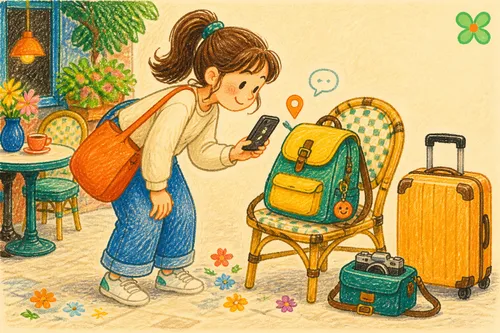
So the Child Finder Card takes the low-key route. It’s styled as a cute charm or name tag with no “help” wording at all — on ordinary days it’s just an unremarkable trinket on a school bag. The protection hides inside: when your child is lost and an adult wants to help, they tap with their phone and the page shows no real name, no phone number, no address (just a nickname to address the child by). One tap blind-sends the child’s current location to you. Personal data never surfaces; you get the notification and the position in real time.
And the card works both ways. An older child can be taught to present it to a safe adult — a convenience-store clerk, a parent with kids — while a younger child who can’t seek help is covered by whoever notices them. Discreet by default, presentable when needed, and speaking for them when they can’t.
Two kinds of lost, two designs
| Design | For | Look | Trigger |
|---|---|---|---|
| Low-key (default) | Children who can seek help | Cute charm, no help wording | Child presents it, or a finder taps |
| High-visibility | Ages 3–6, similar to pet tags | High-contrast “tap to help” | A helping adult taps |
To be clear: the two versions differ in the physical patch artwork (one discreet, one clearly marked) — not the digital page. Either way, the web page blind-sends the location and hides the real name. Pick by your child’s age and ability.
Guardian Card vs DIY
| Static NFC card | iOS Shortcut | Child Finder Card | |
|---|---|---|---|
| Setup difficulty | Low, but text is frozen | High | Low — fill a form, publish |
| Who triggers it | Finder reads plain text | The child must operate it | Child presents it or finder taps |
| Sends child’s location | No | Yes | One-tap blind-send, with map |
| Notifies parents | No | Texts, but child must trigger | Automatic when opened |
| Updating info | Pull and rewrite | Edit the Shortcut | Edit in the app, live on publish |
| Anti-social-engineering | Full name & number exposed | Depends on your design | No name / number / address shown — blind-send |
The last two rows are the point. A Shortcut can send a location — if the child can operate it. A static card with full contact details hands the script to the wrong person. The Finder Card lets a helper help without seeing any personal data.
What it can do
1. The finder needs no app — one tap opens it
Any NFC-capable phone, iPhone or Android, opens the page with a tap. No app, no QR code. For an adult who wants to help but fears overstepping, a low barrier makes the difference.
2. One-tap blind-send — and a message for “which floor”
The finder taps “share location” and approves; your child’s position arrives with a Google Maps link — while the finder sees nothing about who you are.
One caveat: GPS gives a coordinate. In a mall or transit hub it can name the building but not the floor. That’s what the message feature is for: the finder adds “3rd floor food court, yellow jacket”, and the coordinate’s blind spot is covered in one sentence.
3. Blind-send by design — nothing to socially engineer
The page shows only a nickname (“Mei-mei”). Real name, age, parent’s phone, address — none of it appears. The finder sees the minimum needed to conclude “this child is lost; I can help”, plus two actions: send location, leave a message. Social share previews are masked too.
4. Edit anytime, live on publish
New phone number, new school, a change in allergies or medication — edit in the app and publish. The charm itself is never rewritten.
5. Notifications via both Email and LINE
When the card is opened, a location is shared, or health notes are viewed, the designated parents are notified. Link LINE (add “OMIPOKA Guardian”, enter the binding code) for instant alerts — no account, no app install. Email for stability, LINE for speed; enable both.
What happens when someone finds your child
Imagine losing your child in a department store. A mother with her own kids notices a child crying by a shop entrance on the third floor.
She spots the charm on the school bag and taps it. A clean page appears: no full name, no phone number — just “I’m separated from my family, please help me stay here”, and two buttons. She shares the location and adds: “Child at the 3F toy store entrance, I’m staying with them.”
Almost simultaneously, your email and LINE light up: the card was opened, location shared, message attached. You head straight to the third floor. She never learned your child’s name or your number — and your child is back with you.
How to get started
No Shortcuts to build.
- Create a Child Finder Card in the OMIPOKA app
- Pick the low-key version (can seek help) or high-visibility version (preschoolers)
- Fill in the nickname, health notes (allergies, conditions, medication) and a help note
- Add parent emails as contacts; link LINE with the binding code for instant alerts
- Publish — live immediately
- Write the card URL to a bag charm or clothing tag (embroidered patch or budget NFC sticker; pre-made sets available), then test with another phone
- Rehearse with your child: stay put when lost; older kids — show the card to a clerk or a parent with kids and ask them to tap it
Make the help note actionable for a stranger: “I’m separated from my family — please help me stay here and tap this card with your phone” beats “I’m lost”.
Advanced: if you still want to DIY
A static NFC Tools card is offline and dependency-free — but frozen, location-less, silent when opened, and it exposes the full name and number. An iOS Shortcut can report location — but the child must trigger it, which rules out preschoolers.
For child safety, the question isn’t only “can it send a location” — it’s whether the child’s personal data survives the process unexposed. Blind-send to the parent, names and numbers locked away: that’s what this card is designed for.
Things to note
- Have parents link LINE for instant alerts; keep email as the stable backup and check the spam folder — enable both
- GPS resolves to building level indoors; use the message feature, and teach your child to stay put
- The low-key version works because it’s low-key — don’t expose the child’s full name or home address on the charm or in social shares
- Keep the help note focused on “help the child stay put and contact the parents” — never phrased in a way that invites a stranger to take the child elsewhere
- Tap it yourself periodically to confirm everything works
Closing
In the minutes after losing a child, what buckles your knees isn’t that they’re gone — it’s that they can’t explain, and no one can reach you. A discreet Finder Card is just a small bag charm on ordinary days; when it counts, it speaks for your child: one tap blind-sends their location, a message adds the floor, and their personal data never leaves the vault.